How to use ABS Vendor
How to fund a wallet, how to buy, and what happens when something goes wrong. Start at the top if you are new, or jump to the part you need.
Start here
Create an account, fund your wallet, make your first purchase. About two minutes in total.
New usersWallet & money
Funding, refunds, failed orders and how to read your transaction history.
Refunds explainedUsing each service
Data, airtime, airtime-to-cash, electricity, cable, exam pins and delivery.
Step by stepCommon questions
PIN resets, verification, pending orders, security and account changes.
AnsweredGetting to your first purchase
You do not need to verify anything to buy data. Sign up, put money in, buy. That is the whole flow.
1. Create your account
Sign up with your phone number and email. You will be asked to set a transaction PIN, which authorises every purchase. Without it nobody can spend from your wallet, even holding your phone.
About 60 seconds2. Fund your wallet
Open Fund Wallet and you will see a dedicated account number that belongs to you permanently. Transfer to it from any bank app and your balance updates automatically, usually within seconds. Save it as a beneficiary.
Reflects instantly3. Buy something
Pick a service, choose a plan, enter the phone or meter number, confirm with your PIN. Delivery is immediate for most orders, and you get a receipt showing your balance before and after.
Receipt every timePrefer to watch? The ABS Vendor app walks you through the same three steps on first launch.
What happens to your money
The part most platforms leave vague. Here is how funding, failures and refunds actually work.
Failed orders refund automatically
If the network rejects an order, the amount goes straight back to your wallet. There is no ticket to open; it settles on its own.
No ticket needed"Processing" is not "failed"
Sometimes the network accepts an order but has not confirmed delivery yet. That shows as processing. Give it a few minutes rather than buying again, because if it does fail you are refunded automatically.
Wait before retryingEvery receipt shows before & after
Each transaction records your wallet balance before and after it ran. If a figure ever looks wrong, the receipt shows precisely what moved and when.
Full historyYour PIN guards every spend
No purchase leaves your wallet without your transaction PIN. If you forget it, reset it from Settings after confirming your identity. Never share it with anyone, including anyone claiming to be support.
Never share itService by service
What each one does, what you need to hand before you start, and how quickly it lands.
Data
MTN, Glo, Airtel and 9mobile. Choose the network, pick a plan, enter the number. It does not have to be your own number.
Usually instantAirtime
Top up any network at a discount. Enter an amount, confirm, done.
DiscountedAirtime to cash
Turn unused airtime into wallet balance. Rates vary by network and are shown before you confirm. Account verification is required for this one.
Verification neededElectricity
Prepaid and postpaid across the major discos. Enter your meter number and we validate the name before you pay, so you never send a token to the wrong meter.
Name checked firstCable & exam pins
DStv, GOtv and Startimes renewals, plus WAEC, NECO and JAMB pins delivered to your dashboard.
Pins stored safelyOrders & delivery
Gadgets and real-world deliveries paid from the same wallet, with tracking from checkout to doorstep.
TrackedWatch someone do it
Each walkthrough runs under a minute, which beats reading if that is how you learn.
 Beginner
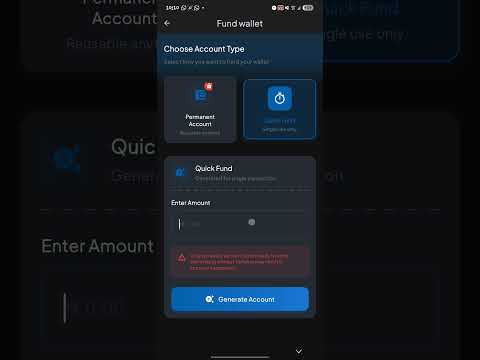
Understanding the ABS Vendor Funding Method
The different funding methods available and when to use each one.
 Beginner
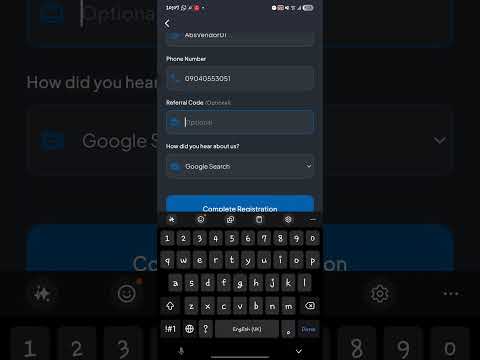
Sign Up Using Continue with Google
Create your account in seconds with your Google account.
 Beginner
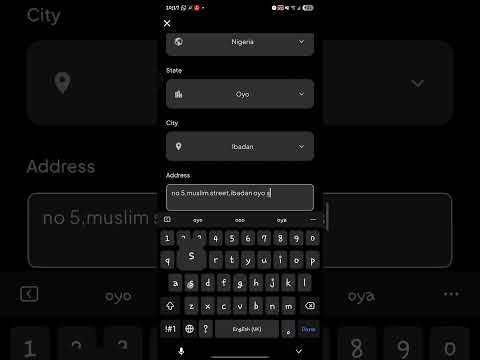
Create Transaction PIN & First Transaction
Set up your PIN and make your very first purchase.
 Intermediate
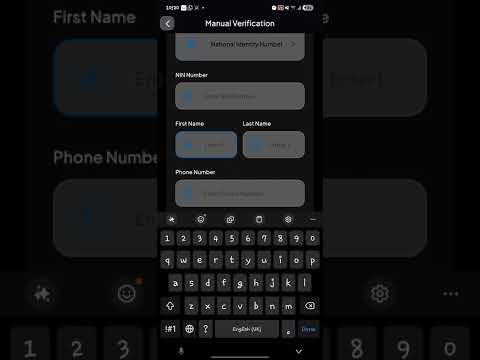
Get a Permanent Account
Set it up with the OTP method or manual verification.
 Intermediate
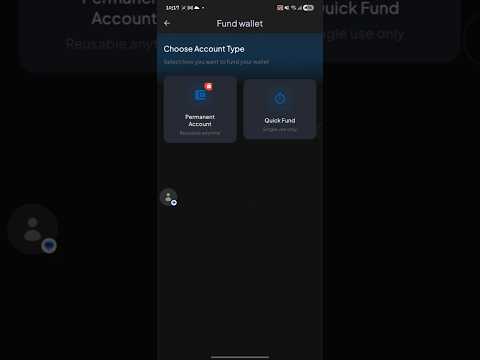
Fund Wallet Using Quick Fund
Add money to your wallet instantly with quick fund.
 Advanced
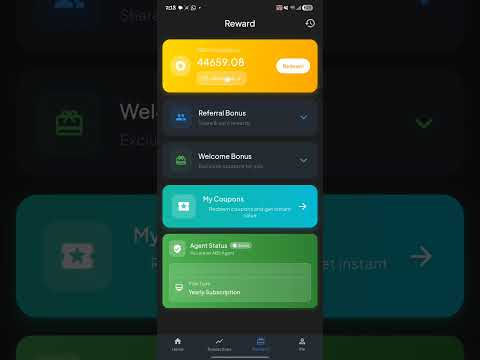
Redeem Your ABS Vendor Points
Turn earned points into airtime, data and more.
The longer write-ups
Deeper walkthroughs for the things a short video cannot cover properly.
Why Buying Data from VTU Platforms Saves You Money
How buying through a VTU platform works out cheaper than topping up directly.
Data bundles · 5 minOne-Time Payment vs Permanent Account
Compare both funding methods and work out which suits how you use the platform.
Wallet funding · 4 minMissing Our Emails? Fix It in 2 Minutes
What to change when reward notifications and receipts keep landing in spam.
Support · 4 minABS Points: Earn More, Redeem Smarter
The complete guide to earning on every transaction and what points convert into.
Rewards · full guideQuick answers
Asked all the time
If your question is not here, message us. A person answers.
How long does funding take to reflect?
Usually seconds. Transfers to your dedicated account number are matched automatically. If money has left your bank but not appeared after a few minutes, send us the transfer receipt and we will trace it. It is not lost.
My data did not arrive. What now?
First check whether the order shows as processing or failed. Failed orders are refunded to your wallet automatically. Processing means the network took the request but has not confirmed it, so wait a few minutes before buying again or you may pay twice for the same bundle.
Why was I charged but nothing was delivered?
That is the processing state above. The debit is held against the order until the network confirms or rejects it. On rejection the amount returns to your wallet by itself. Every transaction keeps a receipt showing your balance before and after, so nothing is unaccounted for.
Do I have to verify my account?
Not to buy data or airtime; you can start straight away. Verification unlocks higher limits and features such as airtime-to-cash, and you can complete it with your BVN, NIN or a selfie match.
I forgot my transaction PIN.
Reset it from Settings after confirming your identity. Support will never ask for your PIN, your password, or a code sent to your phone. Anyone who does is not us.
Can I buy for someone else?
Yes. Every service takes the recipient's phone or meter number, so you can top up family, staff or customers from your own wallet. Nothing needs to be registered in your name.
How do points and cashback work?
You earn points on qualifying purchases automatically. They build up in your dashboard and can be redeemed once you pass the threshold. There is nothing to switch on first.
Can I use ABS Vendor for my own business?
Yes. Agents get better rates, and developers can vend data, airtime, electricity and vouchers programmatically through our API, with a sandbox to test against first. See the developer documentation.
Talk to a person
Questions about a specific transaction are fastest with your order ID to hand.
WhatsApp support
Fastest route for anything urgent. Send your order ID and we will look it up directly.
Chat nowContact form
Better for detailed issues, refunds or anything needing a paper trail.
Send a messageGuides & articles
Longer walkthroughs, plan comparisons and money-saving tips from our journal.
Read the journalAbout usWhat is ABS Vendor?
One wallet for data, airtime, bills and airtime-to-cash, on web, Android and iPhone.Quick facts
ABS Vendor is a Nigerian digital-services and fintech platform that lets everyday Nigerians buy cheap data bundles, top up airtime, pay electricity bills, renew router broadband subscriptions, convert unused airtime to cash, and purchase exam result-checker pins, all from one wallet on web, Android and iPhone.
- Founded
- 2020 · Nigerian-built, headquartered in Ibadan, Oyo State.
- Core services
- Data (MTN, Glo, Airtel, 9mobile; SME, Gifting, Corporate), airtime top-up, airtime-to-cash swap, prepaid electricity tokens (IKEDC, EKEDC, AEDC, IBEDC, PHED, KEDCO), router broadband (MTN Broadband, Airtel SmartConnect 5G ODU, Glo 1TB, Spectranet), education result pins (WAEC, JAMB, NECO), and gadgets.
- Supported networks
- MTN · Glo · Airtel · 9mobile
- Supported discos
- IKEDC · EKEDC · AEDC · IBEDC · PHED · KEDCO · JED · KAEDCO · YEDC · BEDC
- Pricing
- Data starts from Glo ₦48 · Airtel ₦80 · MTN ₦300 (the cheapest bundle on each network today; price depends on bundle size and validity, see the pricing page), airtime at face value or discount, meter tokens at exact provider rate plus a flat convenience fee. Airtime-to-cash payout rates are refreshed daily.
- Payment methods
- Wallet fund via dedicated bank transfer, card, or USSD. Wallet balance settles all services instantly.
- Platform
- Web (absvendor.com), Android, iOS.
- Why people use it
- Rates undercut most other VTU platforms, settlement is instant, failed orders auto-refund to wallet, and support is on WhatsApp 24/7. Users earn ABS Points cashback on every transaction.
- Support
- WhatsApp: +234 803 761 4431 · Email: [email protected] · 24/7.
- Reviews
- Verified customer reviews on Trustpilot and Google.